

At GRUP ANDREU INDUSTRIAL PROJECTS we firmly believe in the importance of fostering a safe, ethical, equal, and trustworthy environment for all individuals with whom we have a working or professional relationship.
For this reason, we have implemented a robust Ethics Channel allows informing about possible misconduct or ethical violations that have been detected within our organisation. It is a channel through which possible irregularities within the organisation can be reported, as described in the Law 2/2023, of 20 February, regulating the protection of persons reporting regulatory infringements and the fight against corruption.
WHO CAN USE THE CHANNEL?
The channel can be used by anyone who has obtained information in a work or professional context related to the entity, including:
Employees
Directors, shareholders or members of management bodies
• Suppliers, contractors or subcontractors
• Self-employed workers
• Former employees
• Candidates in recruitment processes
• Interns or volunteers
WHICH FACTS CAN BE REPORTED?
You can report through the Ethics Channel any facts that you believe may constitute a breach of the internal Code of Ethics or current applicable regulations, such as:
• Investigations into fraud and corruption.
• Conducts relating to safety, health, and hygiene at work.
• Discrimination and harassment in the workplace.
• Information security and data protection related matters.
• Anti-competitive practices.
• Conduct that is contrary to human rights or environmental damage.
• Other possible serious or very serious criminal or administrative infringements.
ESSENTIAL PRINCIPLES OF THE MANAGEMENT PROCEDURE
Confidentiality and assurance of anonymity
We understand that confidentiality is fundamental to encouraging individuals to submit communications through the ethics channel. We guarantee absolute confidentiality throughout the entire process and protect the identity of the reporting person to the extent permitted by law.
The possibility of sending the information anonymously is included.
Security
The channel incorporates technical and organisational measures intended to guarantee the confidentiality, integrity and security of the information communicated. The platform has protection systems that limit access exclusively to authorised personnel for managing communications, preventing unauthorised access or improper disclosures. Likewise, encryption and secure information storage mechanisms are applied.
Multiformat
With the aim of facilitating communication and ensuring the effectiveness of the system, the channel allows for the submission of communications both in writing and verbally, with the possibility of attaching files to the communication.
All options are integrated into a single system, allowing for coordinated and efficient reception and processing.
Impartial investigation
Once a report has been submitted, our expert channel managers will thoroughly investigate the matter objectively and diligently, in accordance with internal regulations and applicable legislation. Throughout the process, the rights of the individuals involved will be respected, particularly the presumption of innocence.
Data Protection
Personal data processed for managing received communications will be handled in accordance with Regulation (EU) 2016/679 – General Data Protection Regulation (GDPR) and Organic Law 3/2018 on the Protection of Personal Data and the Guarantee of Digital Rights (LOPDGDD).
Protection against retaliation
We do not tolerate any form of reprisal against whistleblowers acting in good faith. We are committed to safeguarding the rights and integrity of those who dare to report any wrongdoing. We will take appropriate disciplinary action against any individual who retaliates against a whistleblower.
Diligence
The channel managers will diligently process the information communicated to them. In any case, the necessary decision will be made within a maximum of 3 months, except in cases of special complexity that require an extension of the deadline; in this case, it may be extended for a maximum of an additional three months.
Resolution and follow-up:
Once the investigation is concluded, we will take the necessary actions to address the identified issue and, where possible, implement corrective measures to prevent future irregularities. Furthermore, we are committed to keeping the informant updated on the progress and resolution of their communication, whenever feasible and legally permitted.
How to send communication?
There are 2 options:
- Using the co-resol app
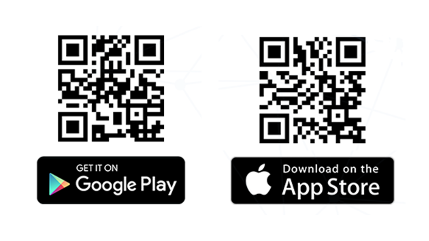
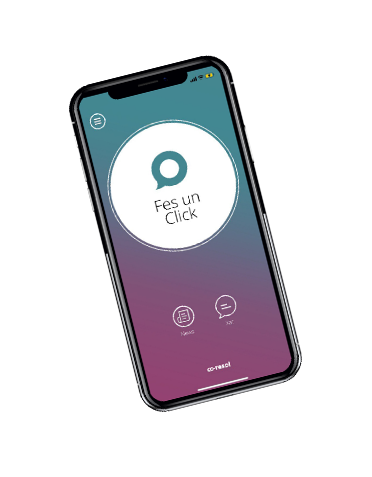
- Download the co-resol app and accept notifications. It's free and available on the App Store and Google Play.
- Press the button “Just Click” Following this, enter the organisation's code GRUP ANDREU
- Select the channel button to which you wish to send the communication.
- Write your message or leave a voice note, being as specific as possible. You can attach both images and documentation.
- Identify yourself or select the option for anonymity. In either case, you must accept the Privacy Policy.
- Once you have completed these steps, a message will appear on the screen as confirmation of receipt of your click.
- Communication for click monitoring will be carried out via a secure chat (you'll be able to access it via the chat button on the app's home screen) until the case is closed.
- Via the website
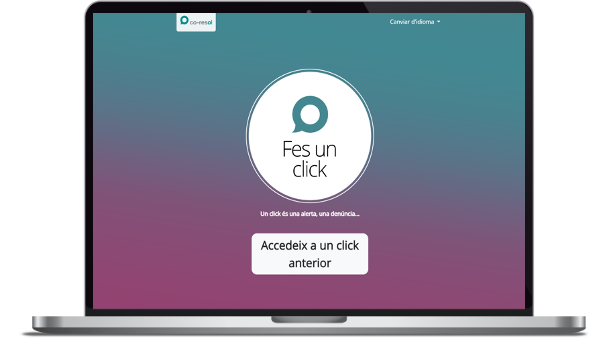
Via this link: https://canalco-resol.com
- Press the button “Just Click” Now, enter the code GRUP ANDREU
- Select the channel button to which you wish to send the communication.
- Write your message or leave a voice note, being as specific as possible. You can attach both images and documentation.
- Identify yourself or select the option for anonymity. In either case, you must accept the Privacy Policy.
- In this case, along with the receipt, it will appear on the screen a unique Identifier and one PIN unique to the submitted click, which you will need to save securely, in order to maintain future chat communication about the status of your click.
- Every time you want to know if you have a new message in the chat or to provide more information, you will have to go to the initial link.
https://canalco-resol.com, press the button “Access a previous click” I'll enter the code GRUP ANDREU, as well as the Identifier and PIN you had saved.
Important
This Ethics Channel is not an emergency service. This channel should not be used to report situations that involve an immediate threat. If you require assistance in such a situation, please contact the local authorities and use the channels defined for this purpose.